
Photoshop's AI update is safe to install, but it tags your files
Adobe's November Photoshop update installs fine, but its AI features can tag exported files as AI-generated. Photojournalists and freelancers under no-AI contracts should wait.
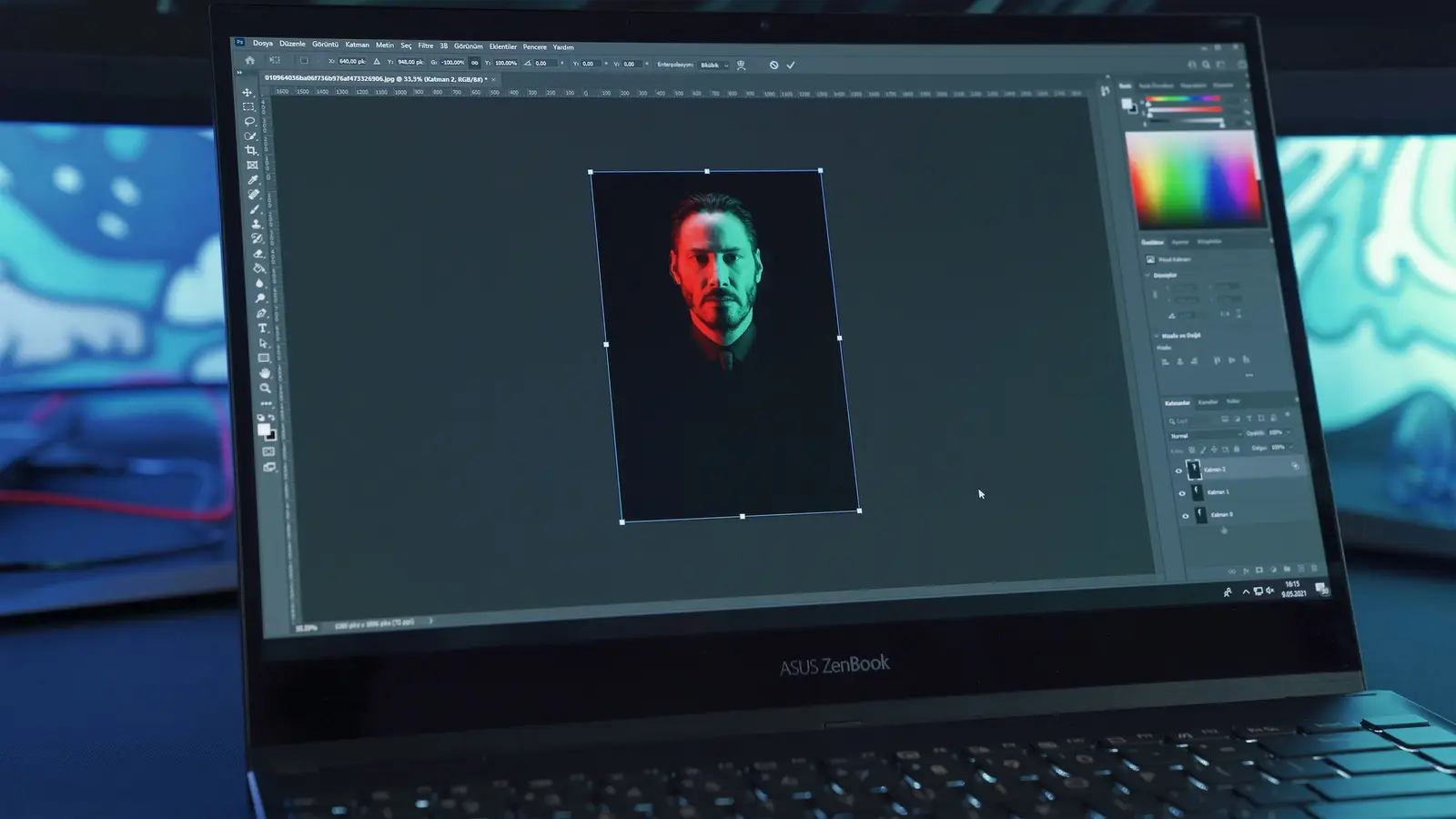
Photoshop's AI update is safe to install. The trouble starts after you export: several features in the November release write metadata that identifies the file as AI-generated or AI-edited, and that label travels with the image when you send it to a client, a picture desk or a stock library.
So the answer depends on who you shoot for. If you edit your own photos for social posts, install it and use the new tools. If your client's contract says no AI-assisted editing, the update can put a tag on files you edited by hand, and you tend to find that out after delivery.
Why the Times told its freelancers to hold off
Two of the paper's photography leaders, Meaghan Looram and Josh Haner, sent an email asking freelance photographers not to use the newest version of Photoshop. The Verge saw the email, and the message was also posted on Threads. Their concern is that features in the 2027 update use AI "in ways that may not be apparent to users," and that this "can result in metadata identifying photographs as AI-generated."
A file can come back tagged as AI-generated after an edit that changed almost nothing. That matters at a paper whose stated policy is that it does not "retouch or digitally manipulate" photographs, though it may "make minimal adjustments to color to ensure we are accurately reproducing the image." A metadata field reading AI-generated contradicts that promise to readers, whatever the photographer actually did at the desk.
Which tools write the tag
The November release adds an AI Assisted Editor view that gathers Photoshop's AI features on a single toolbar. It also adds an AI assistant that walks you through edits step by step, prompt-based image transformation and editing, new AI upscaling options, and a tool that recomposes an image for a different canvas size.
Typing a prompt is the obvious way to trigger the metadata. It isn't the only one. According to the reporting, even older options such as automated selection tools may now count as part of the AI suite, which means a routine mask-and-adjust can produce the same label as a full generative fill. You can see how that catches people: the tools look like the ones they have used for years, and the label arrives without a warning.
What the tag actually says
In August, Adobe began rolling out support for C2PA metadata across its apps, which records whether an image is AI-generated or was edited with AI features. C2PA is best understood as a content credential: a signed record attached to a file describing how it was produced and what happened to it afterwards.
The weakness is resolution. A record saying AI was used doesn't separate a full generative fill from a subject selection, so careful post-production gets flattened into one blunt word. The person receiving the file has no easy way to see the difference, and a newsroom cannot ask every reader to take the photographer's word for it.
Is the update itself unsafe?
Nothing in the reporting suggests the November release breaks files, leaks data or opens a security hole. The documented problem is the label on the export. Those are separate questions, and only one of them has a known answer.
The cost shows up downstream. A picture desk that won't run a tagged file, or a client who rejects a delivery because the contract bans AI-assisted work, costs you a reshoot or a commission. Nothing crashes. You just lose the job, and possibly the argument about whether your edit was ever AI in the first place.
What to do before you install
- Read the AI clause in your contract or your client's submission rules. If it bans AI-assisted editing, don't put the update on the machine you use for that work.
- Duplicate a client file and run it through the new version before you touch a live job. Export it and inspect the metadata.
- Ask which tools your client counts as AI. A selection tool that shipped in Photoshop years ago may now be labelled the same as a prompt-driven edit.
- Check every export before delivery, not just the ones where you typed something.
Run that test before a deadline rather than during one. A metadata question you can answer in ten minutes on a Tuesday is a different problem from a metadata question you discover at 11pm with a courier waiting.
Who can install it and get on with the day
Anyone editing personal photos, social posts, mockups or mood boards. A tag recording that AI was involved costs nothing on an Instagram post, and the new upscaling and recompose tools are genuinely useful for that kind of work.
The people who should wait are photojournalists, documentary photographers, archival editors and freelancers whose contracts promise unmanipulated images. The Times email is a policy for the paper's own freelancers. Your client's contract governs your files, and the AI clause is worth reading before the next delivery rather than after it.
Frequently asked questions
- Is the Photoshop AI update safe to install?
- Yes, for most people. No report suggests it damages files or exposes your data. The documented issue is that AI features write provenance metadata marking images as AI-edited. If a client or employer bans AI-edited images, hold off until you know which tools trigger the tag.
- Does a crop or a colour adjustment count as AI-generated?
- The Times allows minimal colour adjustments to reproduce an image accurately. The risk is that AI-assisted selection and masking write the same metadata as prompt-based edits, so a routine crop and dodge can carry the tag. Check the exported file before you send it.
- Can I remove the AI metadata from a Photoshop file?
- The reporting doesn't say whether the tag can be stripped or what Adobe's position on that is. Treat a tagged export as permanent for delivery purposes and ask the recipient whether they would accept it. Removing provenance data to get past a client's rule is a different conversation from fixing an accidental tag.
- Why does the New York Times restrict AI-edited photos?
- The paper has said it does not retouch or digitally manipulate photographs, and may make minimal colour adjustments so the image is reproduced accurately. A metadata tag calling a photo AI-generated contradicts that promise to readers, so two of its photography leaders asked freelancers to avoid the update.
- Does this affect Lightroom and other Adobe apps?
- Adobe began rolling out C2PA support across its apps in August, so provenance metadata is not a Photoshop-only question. The Times email addresses Photoshop specifically. If you edit in any Adobe app, check the exported file before delivery rather than assuming only the Photoshop tools write the tag.
Sources
More tools worth a look
AI scores 84.5% on drug chemistry and still misses the pick
AI can reconstruct molecules and explain experimental evidence well. Choosing which compound to make next, and predicting its properties, is still where models fall down.

Is ChatGPT Enterprise worth it at $1 for 2 million federal staff?
Two Japanese financial firms ran ChatGPT Enterprise pilots and published the ROI: 954% and 203%. What those numbers measure, what they leave out, and who should skip the upgrade.

Loop transformers explained: Z.ai's 750B model runs 28 layers twice
A loop transformer runs a block of its layers twice instead of adding parameters. Z.ai's GLM-5.4 is the biggest public example, and the claim behind it is unverified.